
Mounting a TV in a corner isn’t just about saving space, it’s about making awkward room layouts work harder. Corner placements solve tricky sightline issues, free up prime wall real estate for windows or storage, and can turn a problematic furniture arrangement into something functional. But corner mounting comes with its own challenges: finding studs at angles, choosing hardware that actually swivels where you need it, and making sure the whole setup doesn’t look like an afterthought. This guide covers the mount types, installation strategies, and decision points that’ll help homeowners get a corner TV install right the first time.
Table of Contents
ToggleKey Takeaways
- Corner TV wall mount ideas solve spatial problems by activating unused corner zones while improving sightlines in oddly-shaped rooms and reducing glare from multiple windows.
- Articulating mounts with 20+ inches of extension and dual-arm mechanisms offer flexibility for larger screens, while fixed corner mounts provide simpler, budget-friendly solutions for static viewing positions.
- Proper structural anchoring is critical—always locate studs with a stud finder, install horizontal blocking if needed, and ensure the mount is rated for at least 25% more weight than your TV’s actual weight.
- Creative corner TV wall mount installation ideas include floating shelf systems, corner media panels, ceiling-drop mounts for vaulted spaces, and even kitchen countertop setups with GFCI outlets.
- Before purchasing, verify your TV’s VESA pattern and weight, measure stud locations within 12 inches of the corner on both walls, and prioritize mounts with integrated cable management and post-installation leveling capabilities.
- Corner mounts require careful planning around cable routing, port accessibility, and aesthetic integration—whether you choose an articulating design or a concealed panel approach, poor installation looks improvised rather than intentional.
Why Choose a Corner TV Wall Mount?
Corner TV mounts solve spatial problems that standard flat-wall installations can’t address. In rooms where furniture placement is dictated by doorways, windows, or traffic flow, corners often become dead zones, too narrow for a bookshelf, too awkward for seating. A corner-mounted TV activates that space without blocking pathways or competing with existing focal points like fireplaces.
From a viewing-angle perspective, corners can actually improve sightlines in oddly shaped rooms. An L-shaped living room, for instance, benefits from a corner mount that swivels to face either seating area. Bedrooms with beds angled away from walls see similar advantages, the TV can tuck into a corner and articulate toward the bed without requiring a massive media console.
There’s also the cable management angle. Corners naturally conceal wire runs, especially if there’s adjacent cabinetry or if the installer routes cables through the wall cavity. That said, corner mounting introduces structural considerations: stud spacing rarely aligns perfectly with corner angles, so blocking or toggle bolts may be necessary. Always verify stud location with a stud finder before drilling, drywall anchors alone won’t support the dynamic load of an articulating mount and a 55-inch TV.
One often-overlooked benefit: corner mounts reduce glare in rooms with multiple windows. Instead of competing with a south-facing window directly behind the seating area, a corner position can angle the screen away from the brightest light sources. This works best with articulating mounts that allow fine-tuning after installation.
Best Corner TV Wall Mount Types for Different Room Layouts
Articulating and Swivel Corner Mounts
Articulating mounts are the workhorse of corner installations. These use dual-arm or single-arm extension mechanisms that pull the TV away from the wall and rotate both horizontally and vertically. Extension range matters: a mount with 20+ inches of reach lets a 65-inch TV clear the corner entirely when pulled out, while shorter arms may only work for screens under 50 inches.
Look for models rated for your TV’s VESA pattern (the four-bolt mounting hole standard on the back of the TV) and weight. A 60-pound TV requires a mount rated for at least 80 pounds, the dynamic load from swiveling adds stress beyond static weight. Quality articulating mounts use steel arms with cable management clips integrated into the extension arm. Avoid mounts with plastic locking mechanisms: they degrade under repeated movement.
One installation note: articulating mounts need at least two studs for secure anchoring. In corners, studs often run perpendicular to each other rather than parallel. If the corner framing doesn’t align with your mount’s bracket holes, you’ll need to install horizontal blocking, a 2×4 or 2×6 secured between studs to create a solid anchor point. This requires cutting into drywall, but it’s non-negotiable for mounts carrying 50+ pounds. The variety of mount options available today includes corner-specific designs with offset brackets to simplify this process.
Fixed Corner Wall Mounts
Fixed corner mounts sit flush or near-flush to the wall, with the TV angled outward at a set degree, usually 30 to 45 degrees. These are lighter, cheaper, and simpler to install than articulating models, but they lock you into a single viewing angle. They work best in small bedrooms or kitchens where the viewing position never changes.
The trade-off: accessing TV ports becomes harder. HDMI cables, power, and streaming device connections sit tight against the corner, so plan cable routing before mounting. Low-profile right-angle HDMI adapters (under $10) can save inches of clearance.
Fixed mounts still require solid anchoring. Many corner-specific fixed mounts use a triangular backplate that spans the corner seam, distributing weight across both adjoining walls. These typically need at least one lag bolt into a stud on each wall. If studs don’t align, use toggle bolts rated for 100+ pounds in drywall, and keep the TV size under 43 inches. Anything larger risks tearing the mount free under its own weight, especially if someone bumps the screen while cleaning.
Creative Corner TV Mount Installation Ideas
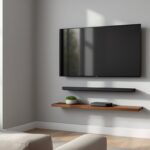
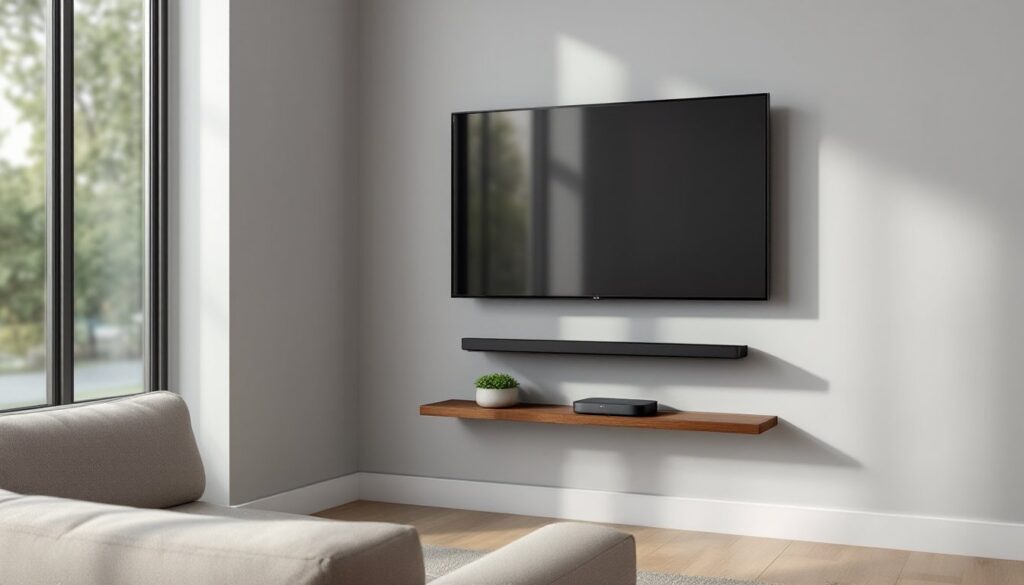
Corner mounting doesn’t have to look utilitarian. One effective approach: integrate the TV into a corner floating shelf system. Build or buy a set of staggered floating shelves in dark wood or painted MDF, then recess the TV mount behind the middle shelf. The shelves provide landing space for a soundbar, streaming boxes, or decor, while the mount stays hidden. This works especially well in living rooms where the TV shares corner space with books or plants.
Another option for modern interiors is the corner media panel. Mount a sheet of 3/4-inch plywood or MDF cut to fit the corner angle, finish it with paint or veneer, then mount the TV bracket to the panel. The panel creates a unified backdrop, hides wiring completely (route cables through a channel cut into the back), and eliminates the need to find studs, the panel itself becomes the structural anchor when secured to studs on both walls. This approach is common in high-end corner installations where clean aesthetics matter.
For bedrooms with vaulted or angled ceilings, a ceiling-drop corner mount keeps the screen at eye level without requiring wall penetration. These mounts attach to ceiling joists and drop a pole down to the TV bracket, which can swivel 360 degrees. They’re overkill for standard 8-foot ceilings but solve problems in lofts or bonus rooms with unconventional architecture. Make sure the pole is adjustable, most range from 36 to 60 inches.
In basements or bonus rooms with exposed framing, consider a corner steel-frame media stand. This isn’t a wall mount per se, but rather a powder-coated steel frame anchored at the corner that holds the TV at the desired height and angle. It sidesteps drywall anchoring entirely and can support heavier screens (75+ inches) without structural concerns. Pair it with a cable raceway along the floor for a semi-industrial look.
One unconventional idea gaining traction: corner mounts in kitchens above countertops. Use a short-arm articulating mount to position a 32- or 40-inch TV in the corner above a coffee station or breakfast bar. Install a GFCI outlet within reach (required by NEC for countertop receptacles) and keep the mount high enough to avoid splatter from the sink. This setup works well in open-plan homes where the kitchen flows into the living area.
How to Choose the Right Corner Mount for Your TV
Start with three numbers: TV diagonal size, weight, and VESA pattern. The VESA measurement (e.g., 200x200mm or 400x400mm) determines mount compatibility. Check the TV’s manual or measure the mounting hole spacing on the back, it’s always a square or rectangular grid. Mounts list compatible VESA ranges: a mount rated for 200×200 to 600×400 will fit most 42- to 75-inch TVs, but verify before buying.
Next, assess the corner itself. Measure from the corner seam to the nearest stud on each wall using a stud finder. Standard stud spacing is 16 inches on-center, but corners are wildcards, builders sometimes double up studs at corners, or leave irregular gaps. If studs are within 12 inches of the corner on both walls, most articulating mounts will reach. If not, plan for blocking installation.
Extension and swivel range should match your viewing needs. Measure the distance from the corner to your primary seating position, and note the angle. If the seating is more than 45 degrees off the corner’s centerline, you need a mount with at least 90 degrees of swivel and enough extension to pull the TV fully out of the corner. A good rule: the mount’s extension should equal at least one-third of the TV’s width for adequate clearance.
Cable management features aren’t just cosmetic, they prevent wear on HDMI and power cables from repeated swiveling. Look for mounts with detachable cable clips or internal channels. For setups with multiple devices (soundbar, streaming stick, gaming console), consider mounts with an accessory shelf or plan a separate corner shelf positioned below the TV.
Safety certifications matter, especially for heavier screens. UL-listed mounts meet minimum load and durability standards. For articulating mounts, check the manufacturer’s specs for “tilt range” and “swivel range”, cheap mounts often exaggerate these numbers. A quality mount will specify tilt in degrees (usually -5 to +15 degrees) and swivel in degrees per direction (typically 90 degrees left and right from center).
Finally, consider whether the mount allows post-installation leveling. Even with careful measuring, corners rarely sit perfectly plumb. Mounts with slotted screw holes or adjustable brackets let installers tweak the TV’s position by a few degrees after mounting, which is critical for getting the screen visually level. Many design-focused installations prioritize this adjustability to achieve a polished look.
PPE for installation: wear safety goggles when drilling overhead, especially into corners where debris falls unpredictably. Use a dust mask if cutting drywall for blocking. Ear protection is smart if using a hammer drill on masonry or concrete walls (common in basements).
Conclusion
Corner TV mounting turns unused space into functional, well-planned viewing areas, but only when the mount type, installation approach, and structural anchoring match the room and screen size. Articulating mounts offer flexibility, fixed mounts offer simplicity, and creative integrations with shelving or panels offer aesthetics. Measure carefully, anchor securely, and don’t skip the blocking if studs don’t cooperate. Done right, a corner mount looks intentional, not improvised.